Minecraft Java
 Minecraft Bedrock
 PaperMC
 Fabric
 Forge
 GeyserMC
 Terraria
 Factorio
 Hytale
 Discord bots


Quick answer
- Install Java 25 and get the server files (
HytaleServer.jarandAssets.zip) with the official Hytale downloader or from your game folder. - Start it with
java -jar HytaleServer.jar --assets Assets.zip, then run/auth login devicein the console and approve the code ataccounts.hytale.com/device. - Open UDP port 5520 and have friends join with your address in Hytale's server list.
What you need#
| Requirement | Details |
|---|---|
| Hytale account | One that owns the game, to sign the server in. |
| Java | Java 25 (64-bit). x64 and ARM64 both work. |
| Memory | 4 GB is a sensible minimum. More players and a longer view distance need more. |
| Network | UDP port 5520 reachable from the internet (QUIC, not TCP). |
| Server files | HytaleServer.jar plus Assets.zip. |
Don't want to run it on your own machine? Skip to the free hosting option. It handles Java, the files and the port for you.
Option 1: host it on your own PC#
- Install Java 25
Download a Java 25 build such as Eclipse Temurin and install it. Check it with
java -versionin a terminal: it should say 25. - Get the server files
Use Hypixel's Hytale downloader command-line tool, which asks you to sign in to your Hytale account the first time and downloads the latest server. Or copy the
Serverfolder andAssets.zipfrom your Hytale game installation. Put them in a new, empty folder. - Start the server
Open a terminal in that folder and run the command below. Change
-Xmxto the amount of RAM you want to give it. - Sign the server in
When the console says the server has booted, run
/auth login device. It prints a link and a short code. Openaccounts.hytale.com/device, enter the code and approve it. Then run/auth persistence Encryptedso the login survives restarts. - Open the port
Allow UDP 5520 in your firewall and forward UDP 5520 to your PC on your router. Friends outside your home network connect to your public IP.
java -Xms2G -Xmx4G -jar Server/HytaleServer.jar --assets Assets.zip --bind 0.0.0.0:5520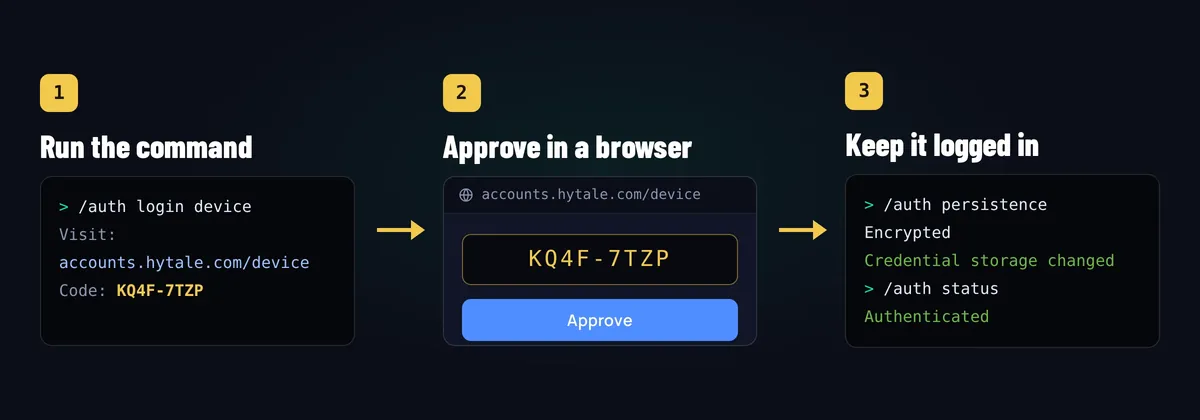
Run /auth status any time to see whether the server is signed in and when its token expires. If players get an authentication error, this is the first thing to check.
Self-hosting is free, but your PC has to stay on for anyone to play, and your home upload speed limits how many players it can handle.
Option 2: a free hosted Hytale server#
On FreeGameHost the server files, Java 25 and the network are set up for you. Free Hytale servers get 6 GB RAM, 200% CPU and 10 GB of NVMe storage and run in our North America location.
- Create the server
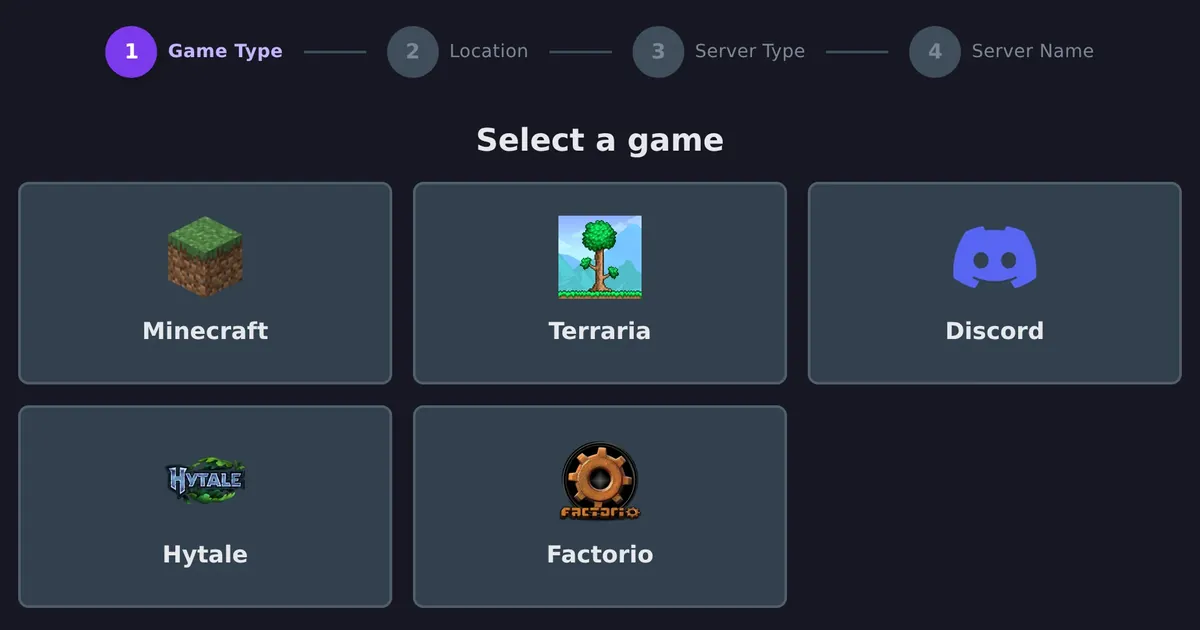
Sign up at panel.freegamehost.xyz (no credit card), click Create Free Server, choose Hytale, the United States location and a name.
- Start it and approve the download
Press Start. On the first start the official downloader fetches the server files. If the console shows a sign-in link and code, open it and approve it with your Hytale account.
- Sign the server in
When the server has booted, type
/auth login devicein the console, approve the code ataccounts.hytale.com/device, then run/auth persistence Encrypted. - Share the address
Copy the server address from the top of the Console page and send it to your friends.
How players join#
In Hytale, open the Servers screen, add a server and enter the address. If the server doesn't use the default port, include it after a colon, for example us.freegamehost.xyz:24105. Players don't need to install anything extra, even on a modded server.
Adding mods and plugins#
Hytale mods run on the server. Put mod files into the server's mods folder (with the file manager or SFTP) and restart. Players receive the content automatically when they join.
- Download mods from trusted sources such as CurseForge and check they match your server's Hytale version.
- Some plugins load before the main server starts. Hytale asks you to accept those explicitly: on FreeGameHost, turn on Accept Early Plugins in the Startup settings.
- Add mods one at a time. If the server won't start, the last mod you added is the first suspect.
Looking for ideas? See our list of the best Hytale server mods.
How much RAM does a Hytale server need?#
RAM use grows mainly with view distance and the number of players spread out across the world. As a rough guide:
| Server | Suggested RAM |
|---|---|
| 2 to 5 friends, default settings | 4 GB |
| 5 to 15 players, a few mods | 6 to 8 GB |
| Larger communities or heavy mods | 8 GB or more, with a lower view distance |
If the server struggles, lower the maximum view radius in config.json before adding more RAM. It's the setting with the biggest effect. For bigger communities, our premium Hytale plans go up to 32 GB.
Troubleshooting#
Players can't connect#
Check that the port is open for UDP (a TCP-only rule is the most common mistake), and that players use the right port. Run /auth status to make sure the server is still signed in.
"Server session token not available"#
The server isn't signed in, or its login expired after a restart. Run /auth login device again, then /auth persistence Encrypted.
The server won't start#
Check the Java version first (java -version must show 25). If you've just added a mod, remove it and try again. On a hosted server, the console log shows the exact error.
See also: How to make a Factorio server
Frequently asked questions#
Do I need to own Hytale to run a server?
Yes. A Hytale server has to be signed in to a Hytale account that owns the game before players can join. The account is used to authenticate the server, not to play on it, so you can keep playing on the same account.
What port does a Hytale server use?
UDP port 5520 by default. Hytale uses the QUIC protocol, which runs over UDP, so a TCP-only port forward or firewall rule won't work. You can pick another port with the --bind option.
Which Java version does Hytale need?
Hytale servers need Java 25. Older Java versions won't start the server. Free builds such as Eclipse Temurin work fine.
Why does my server ask me to log in again after a restart?
Server credentials are kept in memory unless you change it. Run /auth persistence Encrypted once after logging in and the server saves its login (encrypted) to disk, so restarts keep it.
Do players need to download mods to join a modded server?
No. Hytale was designed so the server sends custom content to players when they join. Players connect normally and get your server's mods, models and assets automatically.
Can I run a Hytale server for free?
Yes. You can host on your own PC for free if it has spare RAM and you can forward a UDP port, or use a free host. FreeGameHost gives every account one free server, and Hytale servers get 6 GB RAM in North America.